marceloeatworld/hyprland-ai-skill
hyprland
FlaggedThis skill should be used when the user asks about "Hyprland configuration", "hyprland.lua", "hyprland.conf", "Hyprland Lua config", "hyprctl", "Hyprland keybinds", "Hyprland window rules", "Hyprland monitors", "Hyprland dispatchers", "Hyprland animations", "Hyprland workspaces", "Hyprland IPC", "Hyprland plugins", "hyprlock", "hypridle", "hyprpaper", "hyprcursor", "hyprpicker", "hyprsunset", "xdg-desktop-portal-hyprland", "Hyprland on NixOS", "Hyprland Home Manager", "Hyprland layouts", "Hyprland dwindle", "Hyprland master layout", "Hyprland FAQ", "Hyprland performance", "Hyprland Nvidia", "Hyprland screen sharing", "Hyprland special workspace", "Hyprland smart gaps", "Hyprland multi-monitor", "Hyprland tearing", or any topic related to configuring, troubleshooting, or extending the Hyprland Wayland compositor and its ecosystem tools.
references/getting-started.md
View on GitHub<!-- source: https://wiki.hypr.land/getting-started -->
<!-- wiki commit: 41c7222 (2026-11-20 18:16:21 +0100) -->
<!-- auto-generated by scripts/generate-references.sh - DO NOT EDIT MANUALLY -->
# Getting Started with Hyprland
---
weight: 30
title: Getting Started
---
If you are coming to Hyprland for the first time, read the [Installation](./installation) page.
After you've installed Hyprland, read the [Master tutorial](./master-tutorial).
> [!WARNING]
> Hyprland is not meant to be a full and user-friendly Desktop Environment.
> In a nutshell, it's a set of tools to allow you to create your own Desktop Environment.
>
> Apps, integrations, shells, etc. are **your** responsibility to pick, install and configure.
>
> This wiki is _very_ verbose.
> It's highly recommended to scour and read the wiki before assuming something is not working or not available.
> [!NOTE]
> NVIDIA GPUs are often not usable out of the box.
> Follow the [NVIDIA page](../nvidia) after installing Hyprland if you plan to use one.
> Blame NVIDIA for this.
---
---
weight: 10
title: Installation
---
> [!WARNING]
> Hyprland is not meant to be a full and user-friendly Desktop Environment.
> In a nutshell, it's a set of tools to allow you to create your own Desktop Environment.
>
> Apps, integrations, shells, etc. are **your** responsibility to pick, install and configure.
>
> This wiki is _very_ verbose.
> It's highly recommended to scour and read the wiki before assuming something is not working or not available.
> [!NOTE]
> NVIDIA GPUs are often not usable out of the box.
> Follow the [NVIDIA page](../../nvidia) after installing Hyprland if you plan to use one.
> Blame NVIDIA for this.
## Distros
We officially run and test Hyprland on Arch and NixOS, and we guarantee Hyprland will work there.
For any other distro (not based on Arch/Nix) you might have varying amounts of success.
However, since Hyprland is extremely bleeding-edge, point release distros like Pop!\_OS, Fedora, Ubuntu, etc. will have **major** issues running Hyprland.
Rolling release distros like openSUSE, Solus, etc. will likely be fine.
## Installation
Installing Hyprland is very easy.
Simply install it with your package manager.
It is **heavily** recommended you use **what the distro packages for you**, **not** compiling manually nor using `-git` packages.
Hyprland's ecosystem and dependencies are vast and intertwined, and compiling manually will only potentially expose you to outdated, or incompatible versions of these dependencies.
If you get `.so` file mismatch/missing errors, it's _entirely your fault_ for doing this!
See [this FAQ entry](../../faq#symbol-lookup-errors).
However, if you are an experienced user and want to beta-test new features, you're more than welcome to run the latest git head.
Please don't come asking about ".so file missing" errors though!
[Nix](../../nix/hyprland-on-any-distro-using-nix) fixes this.
This is for more advanced users comfortable with running scripts.
If you are on a distro that has subpar support for Hyprland, consider installing the Nix package manager.
It solves the problems of mismatching `.so` files as well as library conflicts in general, and ensures your packages stay up to date.
It is supported by all distros that use systemd and does not interfere with or replace your current package manager.
### Packages
> [!WARNING]
> The Hypr\* team does not maintain any packages.
> If they are broken, try building from source first.
Distributions marked with `*` are not officially supported.
These instructions are community-driven, and no guarantee is provided for their validity.
{{< tabs >}}
{{< tab name="Arch" >}}
Install a tagged release from the Arch repositories:
```shell
sudo pacman -S hyprland
```
##### Compile from source automatically
> [!WARNING]
> Read the warning about using `-git` packages or compiling from source under [Installation](#installation) first!
Install from the AUR, which compiles the latest source:
```shell
yay -S hyprland-git
```
Alternatively, install the `hyprland-meta-git` package to automatically fetch and compile the latest git versions of all components within the hypr\* ecosystem.
```shell
yay -S hyprland-meta-git
```
> [!WARNING]
> With `-git` version, every time a direct dependency like `hyprutils` has an ABI breaking update, you need to recompile Hyprland and all other dependent tools.
> Otherwise you get a ".so not found" error.
If you decide to use the `git` version from the AUR, you can use the [Chaotic AUR](https://aur.chaotic.cx/) to get pre-built binaries.
Be aware that updating dependencies like `hyprutils` might still require you to recompile everything yourself as the Chaotic AUR does not do that automatically.
> [!NOTE]
> You can downgrade easily with [downgrade](https://github.com/archlinux-downgrade/downgrade) to get to a previous -git version.
{{< /tab >}}
{{< tab name="Nix" >}}
Read about installation Hyprland on the [Nix page](../../nix).
{{< /tab >}}
{{< tab name="openSUSE*" >}}
Hyprland is part of factory, starting with snapshot 20230411.
To install it simply use zypper:
```sh
sudo zypper in hyprland
```
Or install the "hyprland" package via YaST2 Software.
For `hyprpm` to recognize its dependencies, you'll also need to install `hyprland-devel`:
```sh
sudo zypper in hyprland-devel
```
Alternatively, you can follow the instructions under [Manual build](#manual-build) to build Hyprland yourself.
> [!NOTE]
> Hyprland is not available for Leap, as most libraries (and compiler) that Hyprland needs are too old.
{{< /tab >}}
{{< tab name="Fedora*" >}}
Use the [lionheartp/Hyprland](https://copr.fedorainfracloud.org/coprs/lionheartp/Hyprland) Copr repository.
You can also compile it yourself by following the instructions [here](https://github.com/hyprwm/Hyprland/discussions/284).
{{< /tab >}}
{{< tab name="Debian*" >}}
Hyprland is available as of Debian 14 (Forky):
```bash
sudo apt install hyprland
```
And in the Debian 13 (Trixie) backports:
```bash
sudo apt install -t trixie-backports hyprland
```
{{< /tab >}}
{{< tab name="Gentoo*" >}}
The hypr packages are available in the [hyproverlay](https://codeberg.org/hyproverlay/hyproverlay).
Enable the overlay with:
```sh
sudo eselect repository enable hyproverlay
sudo emaint sync -r hyproverlay
```
Hyprland can then be installed with:
```sh
sudo emerge --ask gui-wm/hyprland
```
Additional packages like hyprlock, hypridle, xdg-desktop-portal-hyprland, hyprland-plugins, hyprpaper and hyprpicker are in the overlay.
Some of the community-contributed scripts of [hyprwm/contrib](https://github.com/hyprwm/contrib) are also available in their own package (app-misc/grimblast, app-misc/hdrop, etc.).
```sh
emerge --ask gui-apps/hyprlock
emerge --ask gui-apps/hypridle
emerge --ask gui-libs/xdg-desktop-portal-hyprland
emerge --ask gui-apps/hyprpaper
emerge --ask gui-apps/hyprpicker
```
For USE flags and more details, read the [Gentoo wiki page](https://wiki.gentoo.org/wiki/Hyprland) about Hyprland.
{{< /tab >}}
{{< tab name="FreeBSD*" >}}
Hyprland and related are in the default repository:
- [hyprland](https://www.freshports.org/x11-wm/hyprland)
- [hyprpaper](https://www.freshports.org/x11/hyprpaper)
- [hyprpicker](https://www.freshports.org/x11/hyprpicker)
- [xdg-desktop-portal-hyprland](https://www.freshports.org/x11/xdg-desktop-portal-hyprland)
- [Other Wayland stuff](https://www.freshports.org/wayland/)
{{< /tab >}}
{{< tab name="Ubuntu*" >}}
#### Ubuntu 26.10 (Stonking Stingray) universe repository
Ubuntu 26.10 includes `hyprland` `0.56.2`, installing from `apt` is recommended.
```bash
sudo add-apt-repository universe && sudo apt update && sudo apt install hyprland
```
> [!WARNING]
> Ubuntu 26.04 and before includes an **extremely** outdated `hyprland` package.
> It is not recommended to use the packaged versions at all.
> Build the entire stack [manually](#manual-build) instead.
#### Ubuntu 26.04 LTS (Resolute Raccoon) universe repository
```bash
sudo add-apt-repository universe && sudo apt update && sudo apt install hyprland
```
#### Ubuntu 24.10 (Oracular Oriole) universe repository
```bash
sudo add-apt-repository universe && sudo apt update && sudo apt install hyprland
```
{{< /tab >}}
{{< tab name="Alpine*" >}}
Hyprland is currently available in Alpine's [community repository](https://wiki.alpinelinux.org/wiki/Repositories#Community) and it is maintained by the community.
The following command will install Hyprland and its dependencies.
```sh
apk add hyprland
```
{{< /tab >}}
{{< tab name="Void Linux*" >}}
Hyprland is not available from Void Linux's official repositories [due to a conflict of packaging philosophy](https://github.com/void-linux/void-packages/issues/37544).
However, a [third party repository](https://github.com/Event-Horizon-VL/blackhole-vl) is available with [binary packages](https://mirror.black-hole.dev/x86_64/) built in CI by GitHub Actions.
You can add this repository by running the following commands:
```sh
sudo cp /usr/share/xbps.d/00-repository-main.conf /etc/xbps.d/
sudo sed -i "1i repository=https://mirror.black-hole.dev/$(xbps-uhelper arch)" /etc/xbps.d/00-repository-main.conf
```
Then you can install the packages as you would any other:
```sh
sudo xbps-install -S hyprland
sudo xbps-install -S hyprland-devel # If you want to use plugins
sudo xbps-install -S xdg-desktop-portal-hyprland
xbps-query -Rs hypr # This will require you to have already accepted the repository's fingerprint using xbps-install -S
```
More information is available in the [hyprland-void README](https://github.com/Event-Horizon-VL/blackhole-vl/blob/master/README.md), including information about how you can [manually build](https://github.com/Event-Horizon-VL/blackhole-vl?tab=readme-ov-file#installation) Hyprland for Void Linux using the templates provided.
{{< /tab >}}
{{< tab name="Ximper*" >}}
Install from the Sisyphus:
```bash
epmi hyprland
epmi hyprland-devel # If you want to use plugins
```
Ecosystem:
```bash
epmi xdg-desktop-portal-hyprland
epmi hypridle
epmi hyprpaper
epmi hyprpicker
```
{{< /tab >}}
{{< tab name="Solus*" >}}
For Solus, run:
```bash
sudo eopkg install hyprland
```
{{< /tab >}}
{{< /tabs >}}
---
<!-- NOTE: this ^^^ line is here to visually separate contents of tabs; it is thin, but it is there -->
> [!NOTE]
> If you plan to use plugins, note that `hyprpm` may be packaged separately on some distros.
### Manual build
#### Dependencies
> [!WARNING]
> ***Never, under any circumstances***, symbolically link different .so versions together, this will lead to memory bugs and crashes.
> We don't care what some random person from the Internet tells you.
> Do _not_ do it.
> [!IMPORTANT]
> Hyprland uses the C++26 standard, so both your compiler and your C++ standard library have to support that (`gcc >= 16` or `clang >= 19`).
If any packages are missing from the list, make a pull request or open an issue in wiki repository.
{{< tabs >}}
{{< tab name="Arch" >}}
```plain
yay -S ninja gcc cmake meson libxcb xcb-proto xcb-util xcb-util-keysyms libxfixes libx11 libxcomposite libxrender libxcursor pixman wayland-protocols cairo pango libxkbcommon xcb-util-wm xorg-xwayland libinput libliftoff libdisplay-info cpio tomlplusplus hyprlang-git hyprcursor-git hyprwayland-scanner-git hyprwire-git xcb-util-errors hyprutils-git glaze hyprgraphics-git aquamarine-git re2 hyprland-qtutils-git muparser
```
{{< /tab >}}
{{< tab name="openSUSE" >}}
```sh
zypper in gcc-c++ git meson cmake "pkgconfig(cairo)" "pkgconfig(egl)" "pkgconfig(gbm)" "pkgconfig(gl)" "pkgconfig(glesv2)" "pkgconfig(libdrm)" "pkgconfig(libinput)" "pkgconfig(libseat)" "pkgconfig(libudev)" "pkgconfig(pango)" "pkgconfig(pangocairo)" "pkgconfig(pixman-1)" "pkgconfig(vulkan)" "pkgconfig(wayland-client)" "pkgconfig(wayland-protocols)" "pkgconfig(wayland-scanner)" "pkgconfig(wayland-server)" "pkgconfig(xcb)" "pkgconfig(xcb-icccm)" "pkgconfig(xcb-renderutil)" "pkgconfig(xkbcommon)" "pkgconfig(xwayland)" "pkgconfig(xcb-errors)" glslang-devel Mesa-libGLESv3-devel tomlplusplus-devel
```
(This should also work on RHEL/Fedora if you remove `Mesa-libGLESv3-devel` and `pkgconfig(xcb-errors)`.)
{{< /tab >}}
{{< tab name="FreeBSD" >}}
```sh
pkg install git pkgconf gmake gcc evdev-proto cmake wayland-protocols wayland libglvnd libxkbcommon libinput cairo pango pixman libxcb meson jq hwdata libdisplay-info libliftoff
export CC=gcc CXX=g++ LDFLAGS="-static-libstdc++ -static-libgcc"
```
{{< /tab >}}
{{< tab name="Ubuntu" >}}
#### Ubuntu 26.04 LTS (Resolute Raccoon)
A build script is available at [gitlab.com/kralos/hyprbuntu](https://gitlab.com/kralos/hyprbuntu).
#### Ubuntu 24.10 (Oracular Oriole)
To install Hyprland from source, you will need the dependencies below:
```bash
sudo apt install -y meson wget build-essential ninja-build cmake-extras cmake gettext gettext-base fontconfig libfontconfig-dev libffi-dev libxml2-dev libdrm-dev libxkbcommon-x11-dev libxkbregistry-dev libxkbcommon-dev libpixman-1-dev libudev-dev libseat-dev seatd libxcb-dri3-dev libegl-dev libgles2 libegl1-mesa-dev glslang-tools libinput-bin libinput-dev libxcb-composite0-dev libavutil-dev libavcodec-dev libavformat-dev libxcb-ewmh2 libxcb-ewmh-dev libxcb-present-dev libxcb-icccm4-dev libxcb-render-util0-dev libxcb-res0-dev libxcb-xinput-dev libtomlplusplus3 libre2-dev
```
You will also need to build the latest wayland, wayland-protocols, and libdisplay-info tagged releases from source.
For screen sharing, you can also install `xdg-desktop-portal-wlr` or `xdg-desktop-portal-hyprland`:
```bash
sudo apt install -y xdg-desktop-portal-wlr
```
See [the XDPH GitHub repo's readme](https://github.com/hyprwm/xdg-desktop-portal-hyprland).
Refer to [XDPH](../../hypr-ecosystem/user/xdg-desktop-portal-hyprland) and the
[Ubuntu Guide For Installing And Building Hyprland Gist](https://gist.github.com/Vertecedoc4545/3b077301299c20c5b9b4db00f4ca6000)
for more information.
> [!WARNING]
> Please note that since Ubuntu is generally behind with dependencies, it's not guaranteed that the build process will work at all.
> Even if it does now, it's likely that it will break at some point in the future.
> [!WARNING]
> Always use the latest version of Ubuntu for the most up to date dependencies.
>
> Note: Your mileage may vary, as GDM has some bugs with Hyprland.
> Check the [Master Tutorial](../master-tutorial) for more info.
>
> Refer to the gist if anything fails.
{{< /tab >}}
{{< /tabs >}}
The order in which you **must** build is:
```
lua
hyprland-protocols
hyprwayland-scanner
hyprutils
hyprgraphics
hyprlang
hyprcursor
aquamarine
xdg-desktop-portal-hyprland
hyprwire
hyprtoolkit
hyprland
```
Other packages from hypr\* stack (e.g., hyprlock, hyprsunset, etc.) can be built in any order after Hyprland.
#### Building with CMake
```sh
git clone --recursive https://github.com/hyprwm/Hyprland
cd Hyprland
make all && sudo make install
```
## Crash on launch
See [Crashes and Bugs](../../crashes-and-bugs).
## Custom installation (debug build, etc.)
1. `cd` into the Hyprland repo
1. For debug build:
```bash
make debug
sudo make install
```
1. Any other config: (replace `<PRESET>` with your preset: `release`, `debug`)
```bash
make <PRESET> && sudo cp ./build/Hyprland /usr/bin && sudo cp ./example/hyprland.desktop /usr/share/wayland-sessions
```
## Custom build flags
To apply custom build flags, you'll have to ditch make.
Supported custom build flags on CMake:
```bash
NO_XWAYLAND - Removes Xwayland support
NO_SYSTEMD - Removes systemd dependencies
NO_UWSM - Does not install the hyprland-uwsm.desktop file
NO_HYPRPM - Does not build and install hyprpm
```
Flags can be passed to CMake like this:
```bash
cmake --no-warn-unused-cli -DCMAKE_BUILD_TYPE:STRING=Release -D<FLAG>:STRING=true -B build
```
Change `<FLAG>` to one of the custom build flags.
Multiple flags can be used at once, by adding more `-D<FLAG_2>:STRING=true`.
The `BUILD_TYPE` can also be changed to `Debug`.
To build, run:
```bash
cmake --build ./build --config Release --target all -j`nproc 2>/dev/null || getconf NPROCESSORS_CONF`
```
If you configured in `Debug`, change the `--config` to `Debug` as well.
To install, run:
```bash
sudo cmake --install ./build
```
## Running in a VM
_YMMV, this is not officially supported._
Read through the [libvirt Arch wiki page](https://wiki.archlinux.org/title/Libvirt) and get `libvirt`, `virsh`, and `virt-viewer` setup and installed.
```bash
# Install libvirt and qemu things.
sudo pacman -S libvirt virt-viewer qemu-common
# Add yourself to the libvirt group.
sudo usermod -a -G libvirt USER # Replace 'USER' with your username.
# Enable and start libvirtd.
systemctl enable --now libvirtd
```
Go to the [arch-boxes GitLab](https://gitlab.archlinux.org/archlinux/arch-boxes/-/packages) and download the latest Arch QEMU basic image.
You can also download via any of Arch's mirrors.
```bash
curl https://geo.mirror.pkgbuild.com/images/latest/Arch-Linux-x86_64-basic.qcow2 \
-o ~/Downloads/arch-qemu.qcow2 # Or download wherever you want.
```
Create the VM with virsh.
```bash
# Use virt-install (included with libvirt) to install the vm from the image.
virt-install \
--graphics spice,listen=none,gl.enable=yes,rendernode=/dev/dri/renderD128 \
--name hypr-vm \
--os-variant archlinux \
--memory 2048 \
--disk ~/Downloads/arch-qemu.qcow2 \
--import
```
Connect with `virt-viewer`, which will open a graphical session on the TTY.
The default login is `arch` for both the user and its password.
> [!WARNING]
> Make sure the `--attach` flag is used, enabling virgl makes it so that we had to disable listen.
> This means that we can't make a direct TCP/UNIX socket connection to the remote display.
> `--attach` asks libvirt to provide a pre-connected socket to the display.\*
```sh
virt-viewer --attach hypr-vm
```
Finally, on the guest, follow the instructions above for either [installing hyprland-git from the aur](#installation) or [building manually](#manual-build).
> [!WARNING]
> Make sure you install `mesa` as the OpenGL driver.
> The virgl drivers are included in `mesa`.
---
---
weight: 20
title: Master tutorial
---
If you are coming to Hyprland for the first time, this is the main tutorial to read.
This tutorial covers everything you need to get things going.
It links to other pages where necessary.
## Install Hyprland
See [Installation](../installation) and come back here once you have successfully installed Hyprland.
Install `kitty` (default terminal emulator).
This is available in most distros' repositories.
## NVIDIA?
> [!NOTE]
> If not using an NVIDIA card, skip this step.
Please take a look at the [NVIDIA page](../../nvidia) before launching.
It has information regarding the needed environment and tweaks.
## VM?
> [!NOTE]
> If not using a VM, skip this step.
In a VM, make sure you have 3D acceleration enabled in your `virtio` config (or `virt-manager`), otherwise Hyprland _**will not work**_.
You can also pass through a real GPU to make it work.
Please bear in mind that 3D acceleration in VMs may be pretty slow.
## Launching Hyprland
Hyprland can be executed by typing `start-hyprland` in your TTY.
> [!WARNING]
> Do **not** launch Hyprland with `root` permissions (don't `sudo`).
You can see some launch flags by doing `start-hyprland -- -h`, these include setting the config path, ignoring a check for the above, etc.
Login managers are not officially supported, but here's a short compatibility list:
- SDDM: Works flawlessly.
Install SDDM version ⩾ 0.20.0 or the [latest git version](https://github.com/sddm/sddm)
(or [sddm-git](https://aur.archlinux.org/packages/sddm-git) from the AUR)
to prevent SDDM bug [1476](https://github.com/sddm/sddm/issues/1476) (90s shutdowns).
- plasma-login-manager: Works flawlessly, but depends on systemd.
- GDM: Works with the caveat of crashing Hyprland on the first launch.
- greetd: Works flawlessly, especially with [ReGreet](https://github.com/rharish101/ReGreet).
- ly: Works flawlessly.
## DE-like pre-configured setups
Do you want to just get Hyprland pre-configured like a DE, without making your own configuration from scratch?
Check out the [Preconfigured setups page](../preconfigured-setups) to see a few options.
These dotfiles should do everything for you, and have their own tutorials as well.
If you choose to use those, you can skip the next step.
However, it's still recommended to read all the points below it.
They'll give you recommended apps, replacements for old X11 software, information about configuring displays, etc.
## In Hyprland with the default config
You're good to go with your adventure, technically.
Use SUPER + Q to launch kitty.
If you wish to choose the default terminal before you proceed, you can do so in `~/.config/hypr/hyprland.lua` ([example config](https://github.com/hyprwm/Hyprland/blob/main/example/hyprland.lua)).
If you want the best experience with less hassle googling, keep reading.
## Monitors config
See [Monitors page](../../configuring/core/monitors) to learn all about configuring your displays.
## Fully configure Hyprland
Head onto the [Configuring page](../../configuring) to learn all about configuring Hyprland to your liking.
## Important software
See the [Must-have software page](../../useful-utilities/must-have) for the crucial things to make Wayland/Hyprland/other apps work correctly.
## Apps / X11 replacements
See the [Useful utilities page](../../useful-utilities) about that.
You can also visit the [Awesome-Hyprland](https://github.com/hyprland-community/awesome-hyprland) repository for a more comprehensive list.
## Force apps to use Wayland
A lot of apps will use Wayland by default.
Chromium (and other browsers based on it), as well as Electron apps, don't.
You need to pass `--enable-features=UseOzonePlatform --ozone-platform=wayland` to them or use `.conf` files where possible.
Chromium-based browsers also should have a toggle in `chrome://flags`.
Search for "ozone" and select Wayland.
If you are on NixOS, you can also set the environment variable `NIXOS_OZONE_WL=1` in your configuration.
For most Electron apps, you should put the above in `~/.config/electron-flags.conf`.
Note that VSCode is known **not** to work with it.
A few more environment variables for forcing Wayland mode are documented [here](../../configuring/core/environment-variables).
You can check whether an app is running in Xwayland or not with `hyprctl clients`.
## Themes
Since Hyprland is not a fully-fledged Desktop Environment, you will need to use tools such as `lxappearance` or `nwg-look` (recommended) for GTK, and `hyprqt6engine` for qt6 apps.
## Cursors
Cursors are a notorious pain to set up when you don't know how.
See [this FAQ entry on changing your mouse cursor](../../faq#how-do-i-change-my-mouse-cursor).
---
---
weight: 30
title: Preconfigured setups
---
<!-- WARNING:
These configurations are popular and have many people using them.
PRs that add more configurations will not be merged.
-->
> [!WARNING]
> Many of these configurations aggressively inject themselves and modify your system at a deep level to ensure they can function as intended.
> If you plan to remove them later, this may be more difficult than you anticipate.
> Even the configurations' own uninstall scripts (if provided) may not clean up after themselves fully.
Don't want to spend days tinkering with Hyprland to get it just right from scratch, but you'd rather start from a DE-like setting?
You've found the right place.
Here are a few options to consider:
## Omarchy <span style="color: gray; font-size: 12px;">Sponsored</span>
An opinionated Arch + Hyprland Setup by DHH.
[Website](https://omarchy.org/)

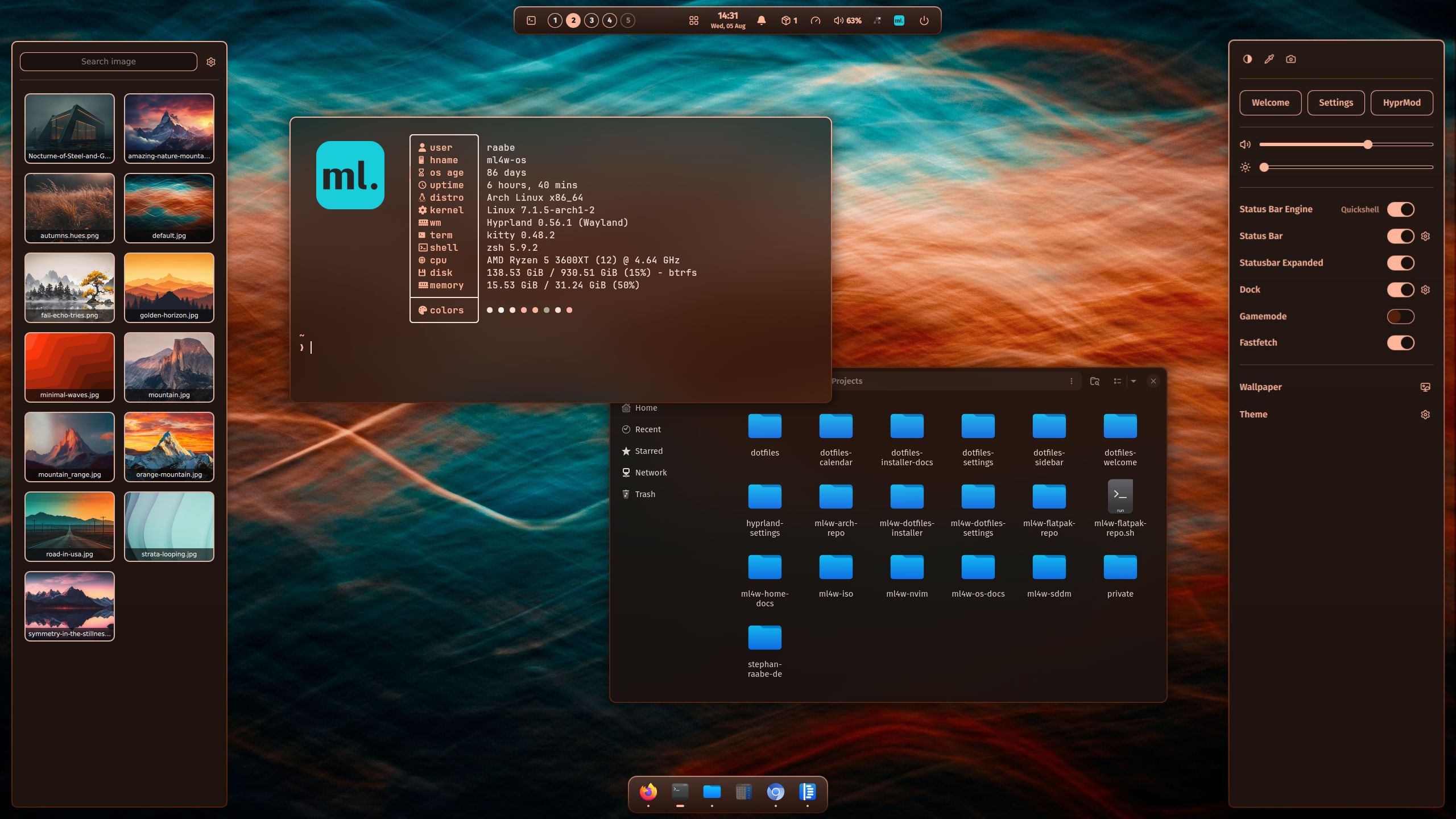
## ML4W
ML4W (My Linux 4 Work) is a great out of the box DE-like experience made by Stephan Raabe.
It includes simple GUI settings apps, pre-configured feature-rich panels, a welcome app, and more.
[Website](https://ml4w.com/os/)
[GitHub](https://github.com/mylinuxforwork/dotfiles)
[Youtube](https://www.youtube.com/@mylinuxforwork)
## end_4
Like material styling?
Want a lot of great apps?
Don't mind a tiny bit of tinkering?
end-4 has you covered.
[GitHub](https://github.com/end-4/dots-hyprland)

## HyDE
Prefer something more minimal, clean and aesthetic?
Are you a terminal enjoyer?
HyDE dotfiles by HyDE Project are a very popular choice that will suit your needs.
[GitHub](https://github.com/HyDE-Project/HyDE)

## Dank Linux
Dank Linux is a desktop suite built around DankMaterialShell --- a complete Material 3-inspired desktop shell.
A single installer command turns an existing install of many popular distros into a fully themed Hyprland desktop with a bar, launcher, notifications, lock screen, control center, and automatic wallpaper-based theming.
[Website](https://danklinux.com/)
[GitHub](https://github.com/AvengeMedia/DankMaterialShell)

## fufexan
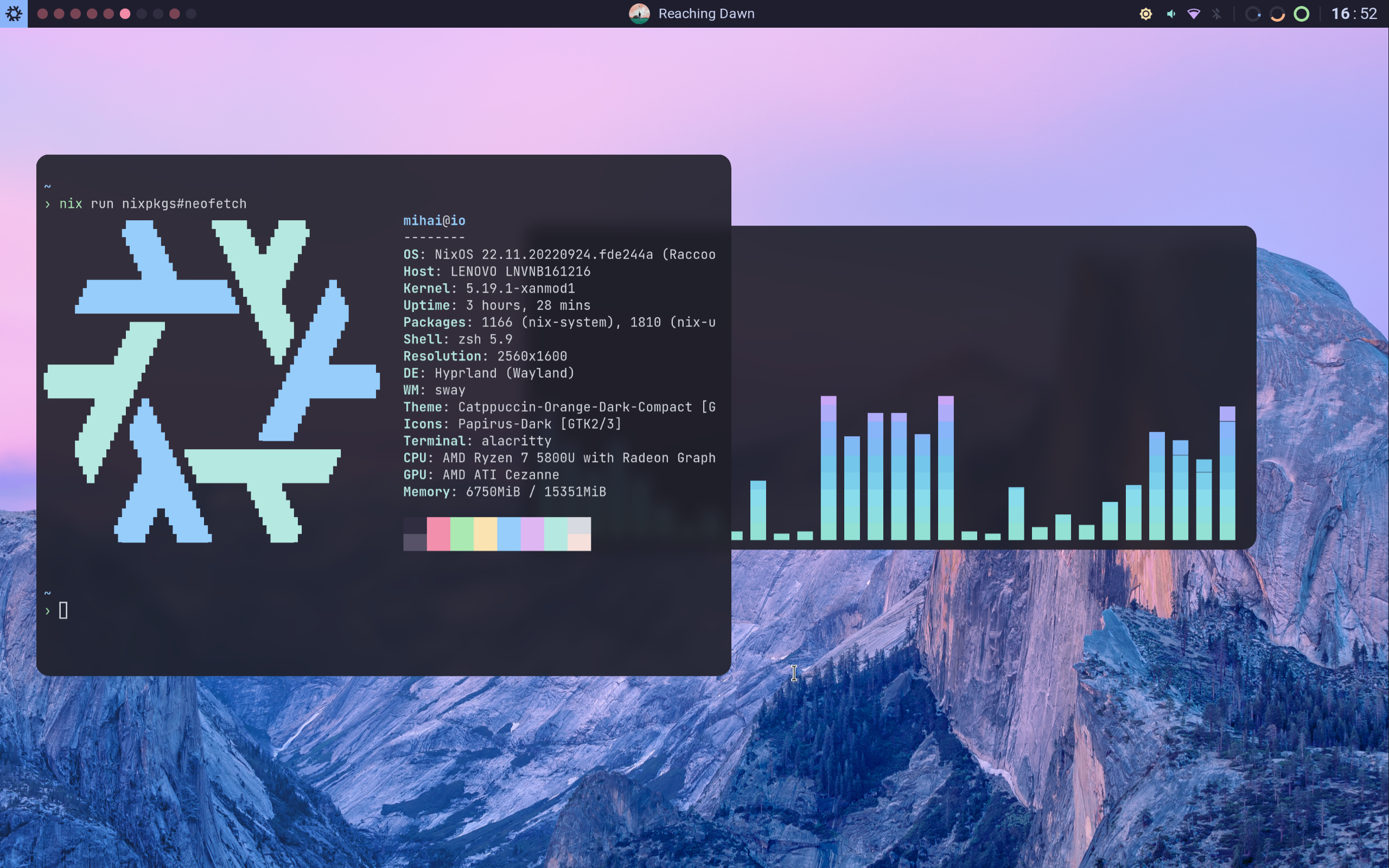
[https://github.com/fufexan/dotfiles](https://github.com/fufexan/dotfiles)
## coffebar

[https://github.com/coffebar/dotfiles](https://github.com/coffebar/dotfiles)
## Notable, but outdated configurations
### JaKooLit
Another great option is installing JaKooLit's dotfiles.
They are another feature-rich and very well maintained option.
JaKooLit provides installation scripts for many distros for their dotfiles, with many themes to choose from.
[GitHub](https://github.com/JaKooLit/Hyprland-Dots)
[Youtube](https://www.youtube.com/@Ja.KooLit)

### linuxmobile

[https://github.com/linuxmobile/hyprland-dots](https://github.com/linuxmobile/hyprland-dots)
### flick0
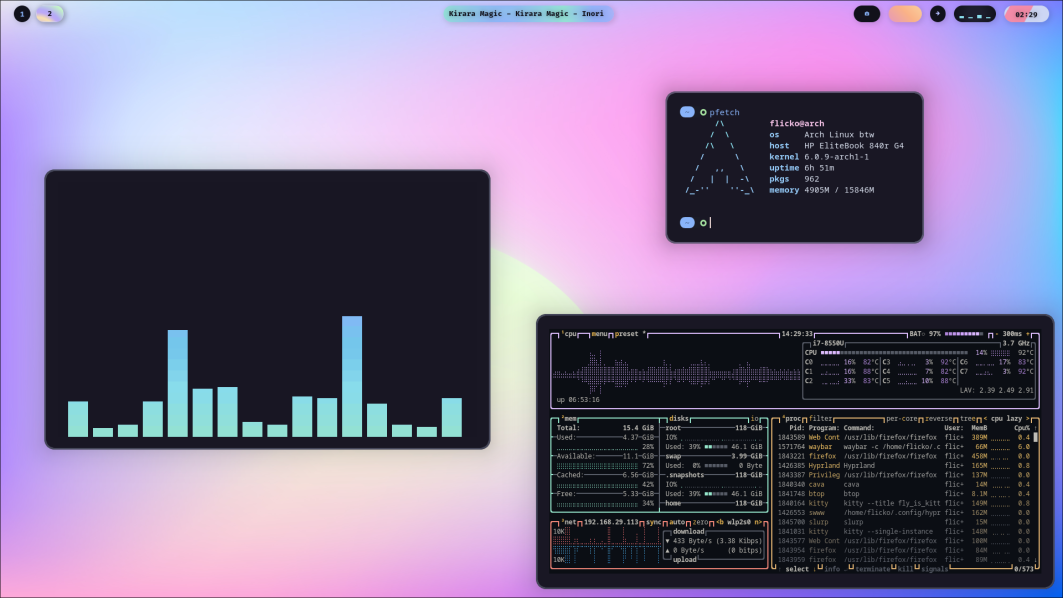
[https://github.com/flick0/dotfiles](https://github.com/flick0/dotfiles)
### iamverysimp1e
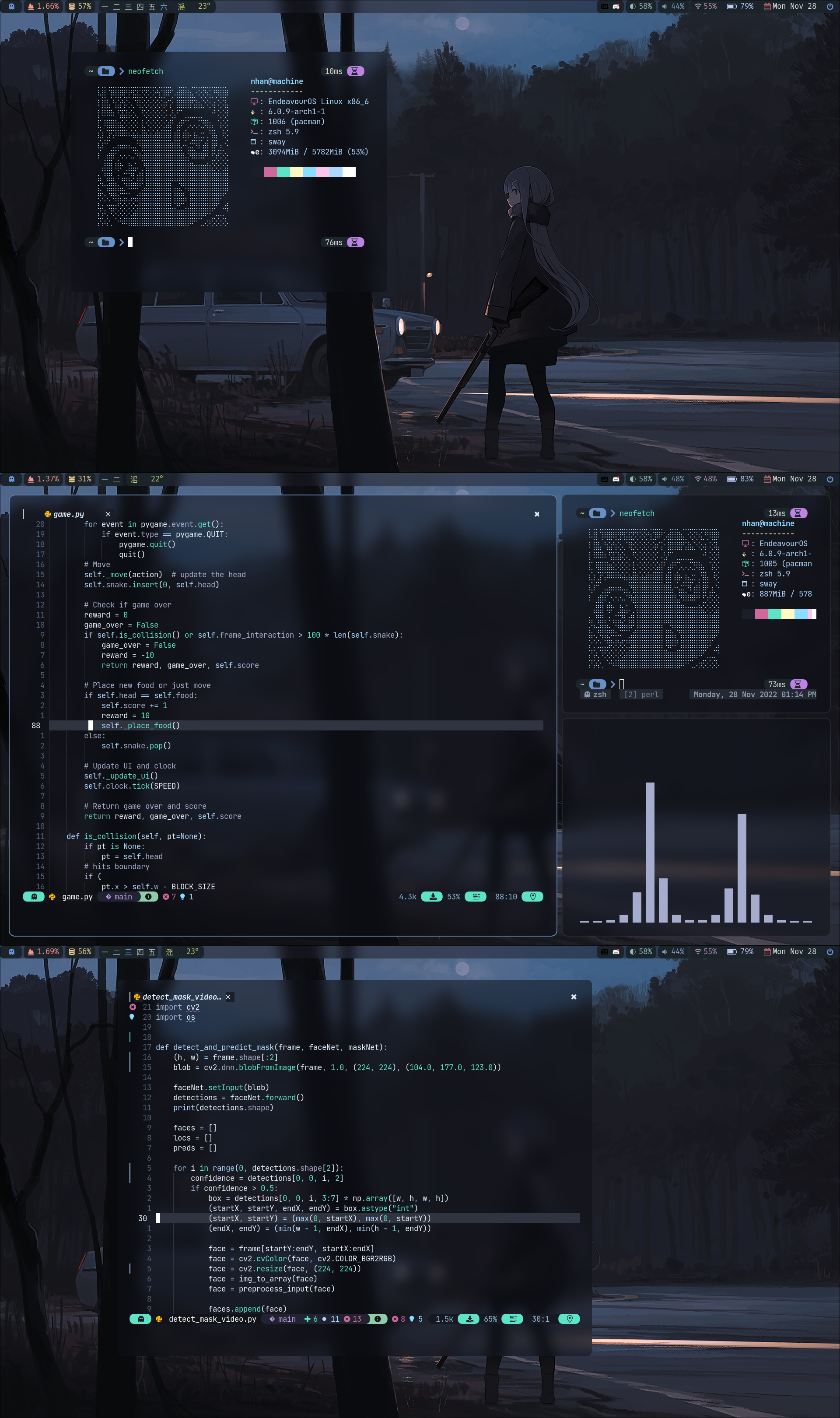
[https://github.com/1amSimp1e/dots](https://github.com/1amSimp1e/dots)
### notusknot

[https://github.com/notusknot/dotfiles-nix](https://github.com/notusknot/dotfiles-nix)
---
Related skills
| Skill | Stars | Updated | Works with | Status | Install |
|---|---|---|---|---|---|
| reverse-engineer-anythingmorluto/reaReverse engineer native, managed, Electron/JavaScript, packaged, firmware, and browser targets with REA, and build agent environments (AgentEnv bundles) of web applications from a live instance or a capture, and of Linux desktop apps with a task from a request. Use shipped-artifact or requested runtime evidence to explain features, compare versions, decompile code, or guide a reconstruction. Skip REA for ordinary source-repository architecture analysis. | Stars: 472k | Updated | Claude CodeCodex | Unverified | Install |
| diagnosing-superpowersobra/superpowersUse when a superpowers session went wrong and your human partner wants to know why — repeated work, ignored plans, stumbles, poor results, a skill that didn't fire, "it took too long", "why is it so expensive", "what is it doing" — or wants to build a bug report for the superpowers maintainers, for the current session or a past one identified by id or path, on any harness. | Stars: 322k | Updated | Claude CodeCodex | Verified | Install |
| dispatching-parallel-agentsobra/superpowersUse when facing 2+ independent tasks that can be worked on without shared state or sequential dependencies | Stars: 322k | Updated | Claude CodeCodex | Verified | Install |
| executing-plansobra/superpowersUse when executing an implementation plan in the current session as the implementer yourself — your human partner chose inline execution, or no subagent tool is available | Stars: 322k | Updated | Claude CodeCodex | Verified | Install |