inehemiasm/AiAssistant / skills/display-glasses-with-jetpack-compose-glimmer
display-glasses-with-jetpack-compose-glimmer
VerifiedProvides guidelines for developing projected Android XR apps for display glasses using the Jetpack Compose Glimmer UI toolkit. This skill covers foundational Glimmer design principles, workflows for implementing Jetpack Compose Glimmer, and interaction models for the glasses form factor. Use this skill to build an Android XR Augmented Experience app with Jetpack Compose Glimmer that adheres to the Glimmer design system for optimized glasses styling.
references/android/design/ui/ai-glasses/guides/interaction/inputs.md
View on GitHubGlasses have multiple sources and types of interaction inputs, including
hardware and touch, physical gesture, and voice.
## Hardware controls
Glasses controls can vary depending on device model, but most will include a
camera button, touchpad, display button, and power switch or button. Hardware
controls have default interactions, and some can be remapped for your app.
Consider that inputs for glasses are more 1-dimensional, where users can make
one control input at a time, compared to touchscreen inputs. The glasses
hardware controls have default interaction mapping, some of which are handled by
the app, and others that are handled by the system.
**The system will handle the following inputs:**
- Camera button single press to take photos and camera button hold to take videos
- Swiping with two fingers on the touchpad for volume
- Touch \& hold on the touchpad and the wake word on the microphone will launch Gemini
- System interprets swipe down on display glasses as system back.
**Your app has access to the glasses:**
- Microphone
- Point-of-View (POV) camera
- Inertial Measurement Unit (IMU)
- Camera button double-press
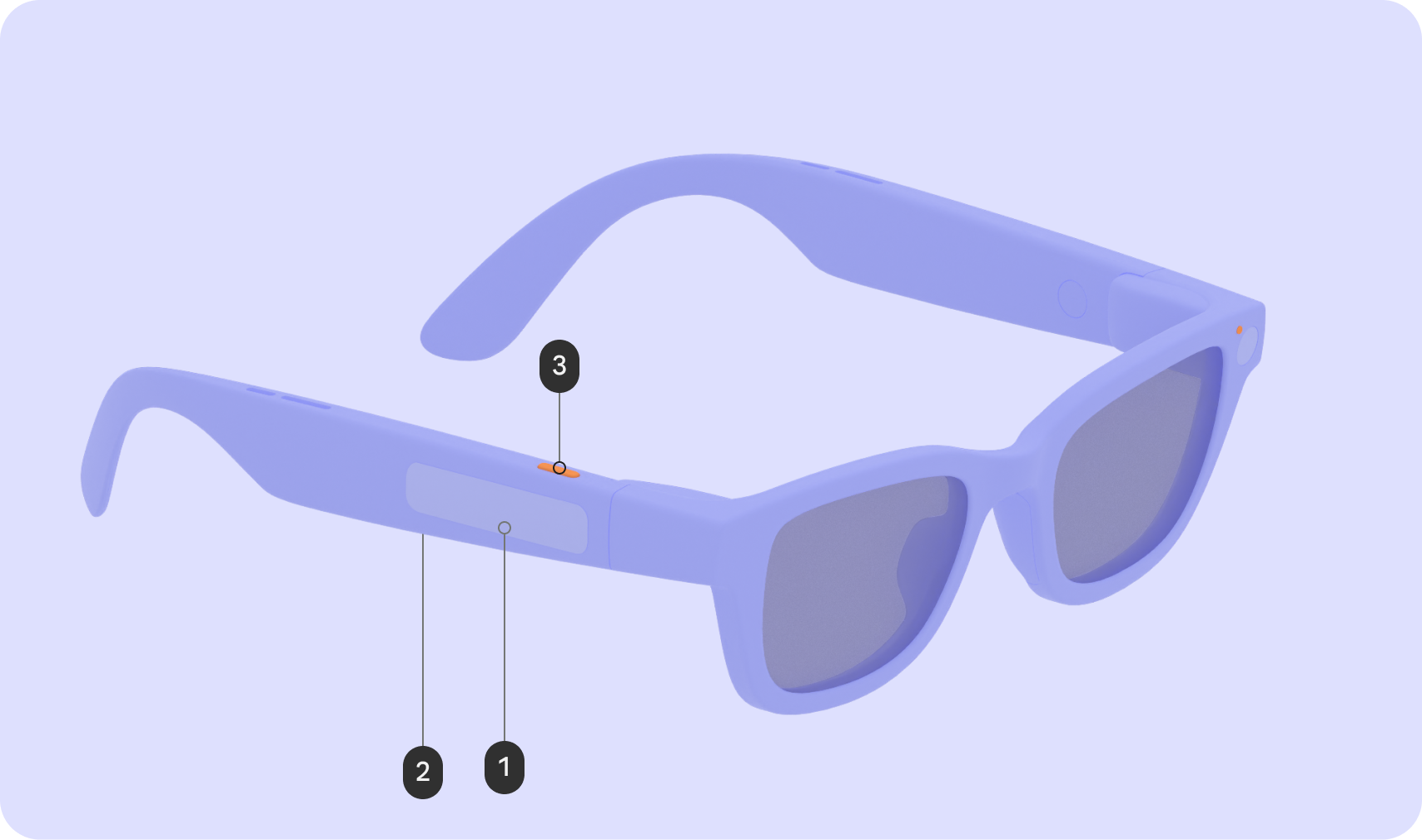
### AI Glasses
| Input | Gesture | Interaction affect |
|---|---|---|
| Touchpad (1) | Tap | Play / Pause / Confirm |
| | Swipe | Next/Previous/Dismiss |
| | Swipe down | N/A |
| | Touch \& hold | Invoke AI |
| | 2-finger swipe | Volume |
| Display button (2) | Press | N/A |
| Camera button (3) | Press | Photo / Video end |
| | Touch \& hold | Video start |
| | Double press | Camera |
<br />
### AI Glasses with Display
| Input | Gesture | Interaction affect |
|---|---|---|
| Touchpad (1) | Tap | Play / Pause / Confirm |
| | Swipe | UI Navigation |
| | Swipe down | Back |
| | Touch \& hold | Invoke AI |
| | 2-finger swipe | Volume |
| Display button (2) | Press | Wake/Sleep |
| Camera button (3) | Press | Photo / Video end |
| | Touch \& hold | Video start |
| | Double press | Camera |
<br />
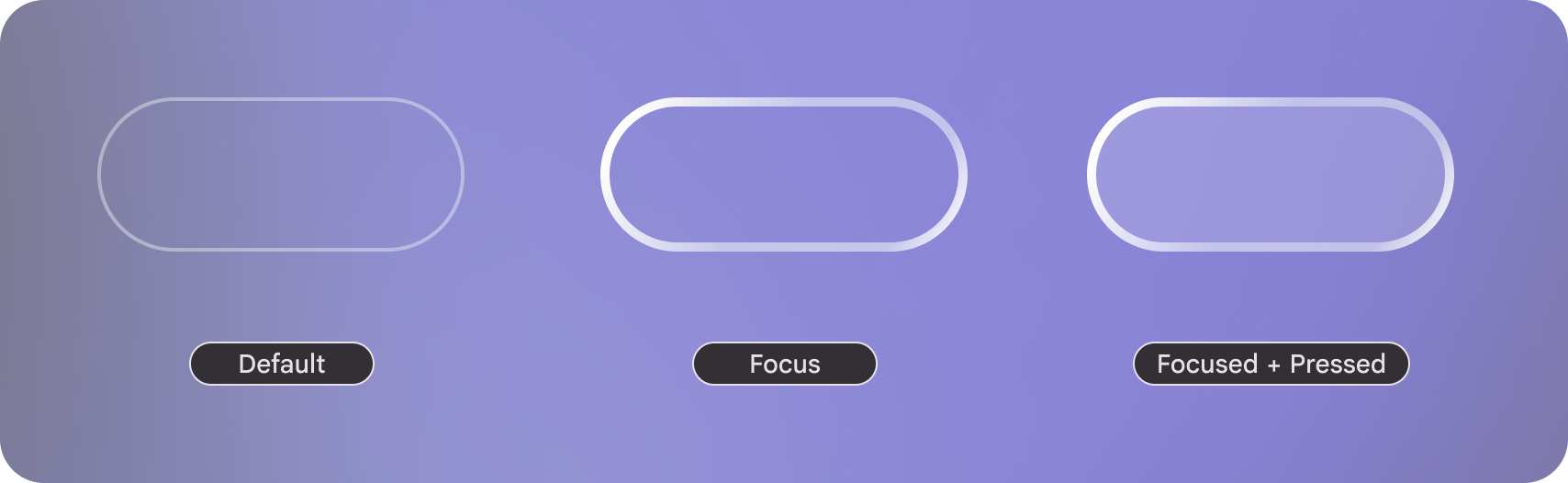 On
display focus states have a visual affordances.Related skills
| Skill | Stars | Updated | Works with | Status | Install |
|---|---|---|---|---|---|
| brainstormingobra/superpowersYou MUST use this before any creative work - creating features, building components, adding functionality, modifying behavior, or planning anything new, in software or out of it (a talk, a business, a renovation). | Stars: 322k | Updated | Claude CodeCodex | Verified | Install |
| brand-guidelinesanthropics/skillsApplies Anthropic's official brand colors and typography to any sort of artifact that may benefit from having Anthropic's look-and-feel. Use it when brand colors or style guidelines, visual formatting, or company design standards apply. | Stars: 198k | Updated | Claude CodeCodex | Verified | Install |
| frontend-designanthropics/skillsGuidance for distinctive, intentional visual design when building new UI or reshaping an existing one. Helps with aesthetic direction, typography, and making choices that don't read as templated defaults. | Stars: 198k | Updated | Claude CodeCodex | Verified | Install |
| mcp-builderanthropics/skillsGuide for creating high-quality MCP (Model Context Protocol) servers that enable LLMs to interact with external services through well-designed tools. Use when building MCP servers to integrate external APIs or services, whether in Python (FastMCP) or Node/TypeScript (MCP SDK). | Stars: 198k | Updated | Claude CodeCodex | Verified | Install |