aymericzip/intlayer-skills / skills/intlayer-react
intlayer-react
VerifiedIntegrates Intlayer internationalization with React component. Use when the user asks to "setup React i18n", create a new translated component, use the "useIntlayer" hook, or configure providers.
references/environment_create-react-app.md
View on GitHub---
createdAt: 2025-08-23
updatedAt: 2026-09-27
priority: 3
title: "Create React App i18n: Complete Translation Guide"
description: "Set up Intlayer in a Create React App project: typed content next to components, a locale switcher and translations loaded per locale."
keywords:
- Internationalization
- Documentation
- Intlayer
- Create React App
- CRA
- JavaScript
- React
slugs:
- doc
- environment
- create-react-app
applicationTemplate: https://github.com/aymericzip/intlayer-react-cra-template
history:
- version: 8.9.0
date: 2026-05-04
changes: "Update Solid useIntlayer API usage to direct property access"
- version: 7.5.9
date: 2025-12-30
changes: "Add init command"
- version: 5.5.10
date: 2025-06-29
changes: "Initial history"
author: aymericzip
---
# Translate your Create React App website using Intlayer
<iframe
src="https://ide.intlayer.org/aymericzip/intlayer-react-cra-template?file=intlayer.config.ts"
className="m-auto overflow-hidden rounded-lg border-0 max-md:size-full max-md:h-[700px] md:aspect-16/9 md:w-full"
title="Demo CodeSandbox - How to Internationalize your application using Intlayer"
sandbox="allow-forms allow-modals allow-popups allow-presentation allow-same-origin allow-scripts"
loading="lazy"
/>
See [Application Template](https://github.com/aymericzip/intlayer-react-cra-template) on GitHub.
## Why Intlayer over alternatives?
Compared to main solutions like `react-i18next` or `i18next`, Intlayer is a solution that comes with integrated optimizations such as:
<AccordionGroup>
<Accordion header="Full React coverage">
Intlayer is optimized to work perfectly with React by offering **component-level content scoping**, **lazy-loaded translations**, and all the features needed for scaling internationalization (i18n).
</Accordion>
<Accordion header="Bundle size">
Instead of loading massive JSON files into your pages, load only the necessary content. Intlayer helps **reduce your bundle and page sizes by up to 50%**.
</Accordion>
<Accordion header="Maintainability">
Scoping your application's content **facilitates maintenance** for large-scale applications. You can duplicate or delete a single feature folder without the mental burden of reviewing your entire content codebase. Additionally, Intlayer is **fully typed** to ensure your content's accuracy.
</Accordion>
<Accordion header="AI Agent">
Co-locating content **reduces the context needed** by Large Language Models (LLMs). Intlayer also comes with a suite of tools, such as a **CLI** to test for missing translations,**[LSP](https://github.com/aymericzip/intlayer/blob/main/docs/docs/en/lsp.md)**, **[MCP](https://github.com/aymericzip/intlayer/blob/main/docs/docs/en/mcp_server.md)**, and **[agent skills](https://github.com/aymericzip/intlayer/blob/main/docs/docs/en/agent_skills.md)**, to make the developer experience (DX) even smoother for AI agents.
- [LSP](https://github.com/aymericzip/intlayer/blob/main/docs/docs/en/lsp.md)
- [MCP](https://github.com/aymericzip/intlayer/blob/main/docs/docs/en/mcp_server.md)
- [agent skills](https://github.com/aymericzip/intlayer/blob/main/docs/docs/en/agent_skills.md)
</Accordion>
<Accordion header="Automation">
Use automation to translate in your CI/CD pipeline using the LLM of your choice at the cost of your AI provider. Intlayer also offers a **compiler** to automate content extraction, as well as a [web platform](https://github.com/aymericzip/intlayer/blob/main/docs/docs/en/intlayer_CMS.md) to help **translate in the background**.
- [web platform](https://github.com/aymericzip/intlayer/blob/main/docs/docs/en/intlayer_CMS.md)
</Accordion>
<Accordion header="Performance">
Connecting massive JSON files to components can lead to performance and reactivity issues. Intlayer optimizes your content loading at build time.
</Accordion>
<Accordion header="Scaling with none-dev">
More than just an i18n solution, Intlayer provides an **self-hosted [visual editor](https://github.com/aymericzip/intlayer/blob/main/docs/docs/en/intlayer_visual_editor.md)** and a **[full CMS](https://github.com/aymericzip/intlayer/blob/main/docs/docs/en/intlayer_CMS.md)** to help you manage your multilingual content in **real-time**, making collaboration with translators, copywriters, and other team members seamless. Content can be stored locally and/or remotely.
- [visual editor](https://github.com/aymericzip/intlayer/blob/main/docs/docs/en/intlayer_visual_editor.md)
- [full CMS](https://github.com/aymericzip/intlayer/blob/main/docs/docs/en/intlayer_CMS.md)
</Accordion>
</AccordionGroup>
## Step-by-Step Guide to Set Up Intlayer in a React Application
<Steps>
<Step number={1} title="Install Dependencies">
Install the necessary packages using npm:
```bash packageManager="npm"
npx intlayer init --interactive
```
```bash packageManager="pnpm"
pnpm dlx intlayer init --interactive
```
```bash packageManager="yarn"
yarn dlx intlayer init --interactive
```
```bash packageManager="bun"
bunx intlayer init --interactive
```
> the `--interactive` flag is optional. Use `intlayer-cli init` if you're an AI agent.
> This command will detect your environment and install the required packages. For example:
```bash packageManager="npm"
npm install intlayer react-intlayer react-scripts-intlayer
```
```bash packageManager="pnpm"
pnpm add intlayer react-intlayer react-scripts-intlayer
```
```bash packageManager="yarn"
yarn add intlayer react-intlayer react-scripts-intlayer
```
```bash packageManager="bun"
bun add intlayer react-intlayer react-scripts-intlayer
```
- **intlayer**
The core package that provides internationalization tools for configuration management, translation, [content declaration](https://github.com/aymericzip/intlayer/blob/main/docs/docs/en/dictionary/content_file.md), transpilation, and [CLI commands](https://github.com/aymericzip/intlayer/blob/main/docs/docs/en/cli/index.md).
- **react-intlayer**
The package that integrates Intlayer with React application. It provides context providers and hooks for React internationalization.
- **react-scripts-intlayer**
Includes the `react-scripts-intlayer` commands and plugins for integrating Intlayer with the Create React App based application. These plugins are based on [craco](https://craco.js.org/) and includes additional configuration for the [Webpack](https://webpack.js.org/) bundler.
</Step>
<Step number={2} title="Configuration of your project">
Create a config file to configure the languages of your application:
```typescript fileName="intlayer.config.ts" codeFormat={["typescript", "esm", "commonjs"]}
import { Locales, type IntlayerConfig } from "intlayer";
const config: IntlayerConfig = {
internationalization: {
locales: [
Locales.ENGLISH,
Locales.FRENCH,
Locales.SPANISH,
// Your other locales
],
defaultLocale: Locales.ENGLISH,
},
};
export default config;
```
> Through this configuration file, you can set up localized URLs, middleware redirection, cookie names, the location and extension of your content declarations, disable Intlayer logs in the console, and more. For a complete list of available parameters, refer to the [configuration documentation](https://github.com/aymericzip/intlayer/blob/main/docs/docs/en/configuration.md).
- [configuration documentation](https://github.com/aymericzip/intlayer/blob/main/docs/docs/en/configuration.md)
</Step>
<Step number={3} title="Integrate Intlayer in Your CRA Configuration">
Change your scripts to use react-intlayer
```json fileName="package.json"
"scripts": {
"build": "react-scripts-intlayer build",
"start": "react-scripts-intlayer start",
"transpile": "intlayer build"
},
```
> `react-scripts-intlayer` scripts are based on [CRACO](https://craco.js.org/). You can also implement your own setup based on the intlayer craco plugin. [See example here](https://github.com/aymericzip/intlayer/blob/main/examples/react-app/craco.config.js).
</Step>
<Step number={4} title="Declare Your Content">
Create and manage your content declarations to store translations:
```tsx fileName="src/app.content.tsx" codeFormat={["typescript", "esm"]}
import { t, type Dictionary } from "intlayer";
import React, { type ReactNode } from "react";
const appContent = {
key: "app",
content: {
getStarted: t<ReactNode>({
en: (
<>
Edit <code>src/App.tsx</code> and save to reload
</>
),
fr: (
<>
Éditez <code>src/App.tsx</code> et enregistrez pour recharger
</>
),
es: (
<>
Edita <code>src/App.tsx</code> y guarda para recargar
</>
),
}),
reactLink: {
href: "https://reactjs.org",
content: t({
en: "Learn React",
fr: "Apprendre React",
es: "Aprender React",
}),
},
},
} satisfies Dictionary;
export default appContent;
```
> Your content declarations can be defined anywhere in your application as soon they are included into the `contentDir` directory (by default, `./src`). And match the content declaration file extension (by default, `.content.{json,ts,tsx,js,jsx,mjs,cjs,md,mdx,yaml,yml}`).
> For more details, refer to the [content declaration documentation](https://github.com/aymericzip/intlayer/blob/main/docs/docs/en/dictionary/content_file.md).
- [content declaration documentation](https://github.com/aymericzip/intlayer/blob/main/docs/docs/en/dictionary/content_file.md)
> If your content file includes TSX code, you should consider importing `import React from "react";` in your content file.
</Step>
<Step number={5} title="Utilize Intlayer in Your Code">
Access your content dictionaries throughout your application:
```tsx {4,7} fileName="src/App.tsx" codeFormat={["typescript", "esm"]}
import logo from "./logo.svg";
import "./App.css";
import type { FC } from "react";
import { IntlayerProvider, useIntlayer } from "react-intlayer";
const AppContent: FC = () => {
const content = useIntlayer("app");
return (
<div className="App">
<img src={logo} className="App-logo" alt="logo" />
{content.getStarted}
<a
className="App-link"
href={content.reactLink.href.value}
target="_blank"
rel="noopener noreferrer"
>
{content.reactLink.content}
</a>
</div>
);
};
const App: FC = () => (
<IntlayerProvider>
<AppContent />
</IntlayerProvider>
);
export default App;
```
> Note: If you want to use your content in a `string` attribute, such as `alt`, `title`, `href`, `aria-label`, etc., you can use the value of the function, like:
> ```tsx
> <img src={content.image.src.value} alt={content.image.value} />
> <img src={content.image.src.toString()} alt={content.image.toString()} />
> <img src={String(content.image.src)} alt={String(content.image)} />
> ```
> To Learn more about the `useIntlayer` hook, refer to the [documentation](https://github.com/aymericzip/intlayer/blob/main/docs/docs/en/packages/react-intlayer/useIntlayer.md).
- [useIntlayer Hook Documentation | react-intlayer](https://github.com/aymericzip/intlayer/blob/main/docs/docs/en/packages/react-intlayer/useIntlayer.md)
</Step>
<Step number={6} title="Change the language of your content" isOptional={true}>
To change the language of your content, you can use the `setLocale` function provided by the `useLocale` hook. This function allows you to set the locale of the application and update the content accordingly.
```tsx fileName="src/components/LocaleSwitcher.tsx" codeFormat={["typescript", "esm"]}
import { Locales } from "intlayer";
import { useLocale } from "react-intlayer";
const LocaleSwitcher = () => {
const { setLocale } = useLocale();
return (
<button onClick={() => setLocale(Locales.English)}>
Change Language to English
</button>
);
};
```
> To Learn more about the `useLocale` hook, refer to the [documentation](https://github.com/aymericzip/intlayer/blob/main/docs/docs/en/packages/react-intlayer/useLocale.md).
- [useLocale Hook Documentation | react-intlayer](https://github.com/aymericzip/intlayer/blob/main/docs/docs/en/packages/react-intlayer/useLocale.md)
</Step>
<Step number={7} title="Add localized Routing to your application" isOptional={true}>
The purpose of this step is to make unique routes for each language. This is useful for SEO and SEO-friendly URLs.
Example:
```plaintext
- https://example.com/about
- https://example.com/es/about
- https://example.com/fr/about
```
> By default, the routes are not prefixed for the default locale. If you want to prefix the default locale, you can set the `middleware.prefixDefault` option to `true` in your configuration. See the [configuration documentation](https://github.com/aymericzip/intlayer/blob/main/docs/docs/en/configuration.md) for more information.
- [configuration documentation](https://github.com/aymericzip/intlayer/blob/main/docs/docs/en/configuration.md)
To add localized routing to your application, you can create a `LocaleRouter` component that wraps your application's routes and handles locale-based routing. Here is an example using [React Router](https://reactrouter.com/home):
```tsx fileName="src/components/LocaleRouter.tsx" codeFormat={["typescript", "esm"]}
// Importing necessary dependencies and functions
import { type Locales, configuration, getPathWithoutLocale } from "intlayer"; // Utility functions and types from 'intlayer'
// Utility functions and types from 'intlayer'
import type { FC, PropsWithChildren } from "react"; // React types for functional components and props
import { IntlayerProvider } from "react-intlayer"; // Provider for internationalization context
import {
BrowserRouter,
Routes,
Route,
Navigate,
useLocation,
} from "react-router-dom"; // Router components for managing navigation
// Destructuring configuration from Intlayer
const { internationalization, middleware } = configuration;
const { locales, defaultLocale } = internationalization;
/**
* A component that handles localization and wraps children with the appropriate locale context.
* It manages URL-based locale detection and validation.
*/
const AppLocalized: FC<PropsWithChildren<{ locale: Locales }>> = ({
children,
locale,
}) => {
const { pathname, search } = useLocation(); // Get the current URL path
// Determine the current locale, falling back to the default if not provided
const currentLocale = locale ?? defaultLocale;
// Remove the locale prefix from the path to construct a base path
const pathWithoutLocale = getPathWithoutLocale(
pathname // Current URL path
);
/**
* If middleware.prefixDefault is true, the default locale should always be prefixed.
*/
if (middleware.prefixDefault) {
// Validate the locale
if (!locale || !locales.includes(locale)) {
// Redirect to the default locale with the updated path
return (
<Navigate
to={`/${defaultLocale}/${pathWithoutLocale}${search}`}
replace // Replace the current history entry with the new one
/>
);
}
// Wrap children with the IntlayerProvider and set the current locale
return (
<IntlayerProvider locale={currentLocale}>{children}</IntlayerProvider>
);
} else {
/**
* When middleware.prefixDefault is false, the default locale is not prefixed.
* Ensure that the current locale is valid and not the default locale.
*/
if (
currentLocale.toString() !== defaultLocale.toString() &&
!locales
.filter(
(locale) => locale.toString() !== defaultLocale.toString() // Exclude the default locale
)
.includes(currentLocale) // Check if the current locale is in the list of valid locales
) {
// Redirect to the path without locale prefix
return <Navigate to={`${pathWithoutLocale}${search}`} replace />;
}
// Wrap children with the IntlayerProvider and set the current locale
return (
<IntlayerProvider locale={currentLocale}>{children}</IntlayerProvider>
);
}
};
/**
* A router component that sets up locale-specific routes.
* It uses React Router to manage navigation and render localized components.
*/
export const LocaleRouter: FC<PropsWithChildren> = ({ children }) => (
<BrowserRouter>
<Routes>
{locales
.filter(
(locale) => middleware.prefixDefault || locale !== defaultLocale
)
.map((locale) => (
<Route
// Route pattern to capture the locale (e.g., /en/, /fr/) and match all subsequent paths
path={`/${locale}/*`}
key={locale}
element={<AppLocalized locale={locale}>{children}</AppLocalized>} // Wraps children with locale management
/>
))}
{
// If prefixing the default locale is disabled, render the children directly at the root path
!middleware.prefixDefault && (
<Route
path="*"
element={
<AppLocalized locale={defaultLocale}>{children}</AppLocalized>
} // Wraps children with locale management
/>
)
}
</Routes>
</BrowserRouter>
);
```
Then, you can use the `LocaleRouter` component in your application:
```tsx fileName="src/App.tsx" codeFormat={["typescript", "esm"]}
import { LocaleRouter } from "./components/LocaleRouter";
import type { FC } from "react";
// ... Your AppContent component
const App: FC = () => (
<LocaleRouter>
<AppContent />
</LocaleRouter>
);
```
</Step>
<Step number={8} title="Change the URL when the locale changes" isOptional={true}>
To change the URL when the locale changes, you can use the `onLocaleChange` prop provided by the `useLocale` hook. In parallel, you can use the `useLocation` and `useNavigate` hooks from `react-router-dom` to update the URL path.
```tsx fileName="src/components/LocaleSwitcher.tsx" codeFormat={["typescript", "esm"]}
import { useLocation, useNavigate } from "react-router-dom";
import {
Locales,
getHTMLTextDir,
getLocaleName,
getLocalizedUrl,
} from "intlayer";
import { useLocale } from "react-intlayer";
import { type FC } from "react";
const LocaleSwitcher: FC = () => {
const { pathname, search } = useLocation(); // Get the current URL path. Example: /fr/about?foo=bar
const navigate = useNavigate();
const { locale, availableLocales, setLocale } = useLocale({
onLocaleChange: (locale) => {
// Construct the URL with the updated locale
// Example: /es/about?foo=bar
const pathWithLocale = getLocalizedUrl(`${pathname}${search}`, locale);
// Update the URL path
navigate(pathWithLocale);
},
});
return (
<div>
<button popoverTarget="localePopover">{getLocaleName(locale)}</button>
<div id="localePopover" popover="auto">
{availableLocales.map((localeItem) => (
<a
href={getLocalizedUrl(location.pathname, localeItem)}
hrefLang={localeItem}
aria-current={locale === localeItem ? "page" : undefined}
onClick={(e) => {
e.preventDefault();
setLocale(localeItem);
}}
key={localeItem}
>
<span>
{/* Locale - e.g. FR */}
{localeItem}
</span>
<span>
{/* Language in its own Locale - e.g. Français */}
{getLocaleName(localeItem, locale)}
</span>
<span dir={getHTMLTextDir(localeItem)} lang={localeItem}>
{/* Language in current Locale - e.g. Francés with current locale set to Locales.SPANISH */}
{getLocaleName(localeItem)}
</span>
<span dir="ltr" lang={Locales.ENGLISH}>
{/* Language in English - e.g. French */}
{getLocaleName(localeItem, Locales.ENGLISH)}
</span>
</a>
))}
</div>
</div>
);
};
```
> Documentation references:
>
> - [`useLocale` hook](https://github.com/aymericzip/intlayer/blob/main/docs/docs/en/packages/react-intlayer/useLocale.md)
> - [`getLocaleName` hook](https://github.com/aymericzip/intlayer/blob/main/docs/docs/en/packages/intlayer/getLocaleName.md)
> - [`getLocalizedUrl` hook](https://github.com/aymericzip/intlayer/blob/main/docs/docs/en/packages/intlayer/getLocalizedUrl.md)
> - [`getHTMLTextDir` hook](https://github.com/aymericzip/intlayer/blob/main/docs/docs/en/packages/intlayer/getHTMLTextDir.md)
> - [`hrefLang` attribute](https://developers.google.com/search/docs/specialty/international/localized-versions?hl=fr)
> - [`lang` attribute](https://developer.mozilla.org/en-US/docs/Web/HTML/Global_attributes/lang)
> - [`dir` attribute](https://developer.mozilla.org/en-US/docs/Web/HTML/Global_attributes/dir)
> - [`aria-current` attribute](https://developer.mozilla.org/en-US/docs/Web/Accessibility/ARIA/Attributes/aria-current)
- [`useLocale` hook](https://github.com/aymericzip/intlayer/blob/main/docs/docs/en/packages/react-intlayer/useLocale.md)
- [`getLocaleName` hook](https://github.com/aymericzip/intlayer/blob/main/docs/docs/en/packages/intlayer/getLocaleName.md)
- [`getLocalizedUrl` hook](https://github.com/aymericzip/intlayer/blob/main/docs/docs/en/packages/intlayer/getLocalizedUrl.md)
- [`getHTMLTextDir` hook](https://github.com/aymericzip/intlayer/blob/main/docs/docs/en/packages/intlayer/getHTMLTextDir.md)
</Step>
<Step number={9} title="Switch the HTML Language and Direction Attributes" isOptional={true}>
When your application supports multiple languages, it's crucial to update the `<html>` tag's `lang` and `dir` attributes to match the current locale. Doing so ensures:
- **Accessibility**: Screen readers and assistive technologies rely on the correct `lang` attribute to pronounce and interpret content accurately.
- **Text Rendering**: The `dir` (direction) attribute ensures that text is rendered in the proper order (e.g., left-to-right for English, right-to-left for Arabic or Hebrew), which is essential for readability.
- **SEO**: Search engines use the `lang` attribute to determine the language of your page, helping to serve the right localized content in search results.
By updating these attributes dynamically when the locale changes, you guarantee a consistent and accessible experience for users across all supported languages.
### Implementing the Hook
Create a custom hook to manage the HTML attributes. The hook listens for locale changes and updates the attributes accordingly:
```tsx fileName="src/hooks/useI18nHTMLAttributes.tsx" codeFormat={["typescript", "esm"]}
import { useEffect } from "react";
import { useLocale } from "react-intlayer";
import { getHTMLTextDir } from "intlayer";
/**
* Updates the HTML <html> element's `lang` and `dir` attributes based on the current locale.
* - `lang`: Informs browsers and search engines of the page's language.
* - `dir`: Ensures the correct reading order (e.g., 'ltr' for English, 'rtl' for Arabic).
*
* This dynamic update is essential for proper text rendering, accessibility, and SEO.
*/
export const useI18nHTMLAttributes = () => {
const { locale } = useLocale();
useEffect(() => {
// Update the language attribute to the current locale.
document.documentElement.lang = locale;
// Set the text direction based on the current locale.
document.documentElement.dir = getHTMLTextDir(locale);
}, [locale]);
};
```
### Using the Hook in Your Application
Integrate the hook into your main component so that the HTML attributes update whenever the locale changes:
```tsx fileName="src/App.tsx" codeFormat={["typescript", "esm"]}
import type { FC } from "react";
import { IntlayerProvider, useIntlayer } from "react-intlayer";
import { useI18nHTMLAttributes } from "./hooks/useI18nHTMLAttributes";
import "./App.css";
const AppContent: FC = () => {
// Apply the hook to update the <html> tag's lang and dir attributes based on the locale.
useI18nHTMLAttributes();
// ... Rest of your component
};
const App: FC = () => (
<IntlayerProvider>
<AppContent />
</IntlayerProvider>
);
export default App;
```
By applying these changes, your application will:
- Ensure the **language** (`lang`) attribute correctly reflects the current locale, which is important for SEO and browser behavior.
- Adjust the **text direction** (`dir`) according to the locale, enhancing readability and usability for languages with different reading orders.
- Provide a more **accessible** experience, as assistive technologies depend on these attributes to function optimally.
</Step>
</Steps>
### Configure TypeScript
Intlayer use module augmentation to get benefits of TypeScript and make your codebase stronger.
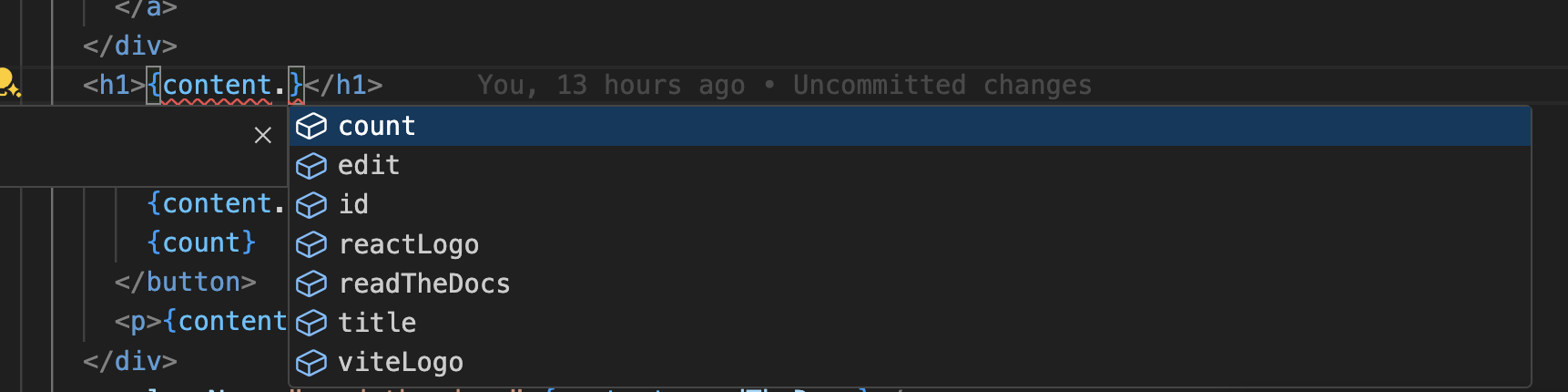

Ensure your TypeScript configuration includes the autogenerated types.
```json5 fileName="tsconfig.json"
{
// ... Your existing TypeScript configurations
"include": [
// ... Your existing TypeScript configurations
".intlayer/**/*.ts", // Include the auto-generated types
],
}
```
### Git Configuration
It is recommended to ignore the files generated by Intlayer. This allows you to avoid committing them to your Git repository.
To do this, you can add the following instructions to your `.gitignore` file:
```plaintext fileName=".gitignore"
# Ignore the files generated by Intlayer
.intlayer
```
### VS Code Extension
To improve your development experience with Intlayer, you can install the official **Intlayer VS Code Extension**.
- [Install from the VS Code Marketplace](https://marketplace.visualstudio.com/items?itemName=intlayer.intlayer-vs-code-extension)
This extension provides:
- **Autocompletion** for translation keys.
- **Real-time error detection** for missing translations.
- **Inline previews** of translated content.
- **Quick actions** to easily create and update translations.
For more details on how to use the extension, refer to the [Intlayer VS Code Extension documentation](https://github.com/aymericzip/intlayer/blob/main/docs/docs/en/vs_code_extension.md).
- [Intlayer VS Code Extension documentation](https://github.com/aymericzip/intlayer/blob/main/docs/docs/en/vs_code_extension.md)
### Go Further
To go further, you can implement the [visual editor](https://github.com/aymericzip/intlayer/blob/main/docs/docs/en/intlayer_visual_editor.md) or externalize your content using the [CMS](https://github.com/aymericzip/intlayer/blob/main/docs/docs/en/intlayer_CMS.md).
- [visual editor](https://github.com/aymericzip/intlayer/blob/main/docs/docs/en/intlayer_visual_editor.md)
- [CMS](https://github.com/aymericzip/intlayer/blob/main/docs/docs/en/intlayer_CMS.md)
## Frequently Asked Questions
<FAQ>
<Question title="What are the different solutions available to internationalize a Create React App project?">
- **`react-i18next` / `i18next`**: the most widespread, with JSON namespaces loaded at runtime.
- **`react-intl`** and **`Lingui`**: ICU message format, extraction based.
- **`Intlayer`**: the most advanced solution. Content declared anywhere in your codebase ([next to each component or centralized](https://github.com/aymericzip/intlayer/blob/main/docs/blog/en/per-component_vs_centralized_i18n.md)) and compiled at build time through `react-scripts-intlayer`, fully typed, with AI translation, a visual editor and a CMS.
Create React App wraps its own webpack configuration, so the integration goes through the `react-scripts-intlayer` drop in replacement for `react-scripts` rather than a plugin you register yourself. See [why Intlayer](https://github.com/aymericzip/intlayer/blob/main/docs/docs/en/interest_of_intlayer.md) and the [benchmark](https://github.com/aymericzip/intlayer/blob/main/docs/docs/en/benchmark/index.md).
- [why Intlayer](https://github.com/aymericzip/intlayer/blob/main/docs/docs/en/interest_of_intlayer.md)
- [benchmark](https://github.com/aymericzip/intlayer/blob/main/docs/docs/en/benchmark/index.md)
</Question>
<Question title="How much does i18n add to my React bundle size?">
Much less than a namespace based setup, because a page never downloads a catalog it does not render. The build time compiler replaces `useIntlayer` calls with the exact dictionary entries a component uses, so unused keys and unused languages are dropped, and [dynamic dictionaries](https://github.com/aymericzip/intlayer/blob/main/docs/docs/en/dynamic_dictionaries/index.md) split the rest per locale. Measured against the usual alternatives, Intlayer reduces bundle and page size by up to 50%. See [bundle optimization](https://github.com/aymericzip/intlayer/blob/main/docs/docs/en/bundle_optimization.md) and the [benchmark](https://github.com/aymericzip/intlayer/blob/main/docs/docs/en/benchmark/index.md).
- [dynamic dictionaries](https://github.com/aymericzip/intlayer/blob/main/docs/docs/en/dynamic_dictionaries/index.md)
- [bundle optimization](https://github.com/aymericzip/intlayer/blob/main/docs/docs/en/bundle_optimization.md)
- [benchmark](https://github.com/aymericzip/intlayer/blob/main/docs/docs/en/benchmark/index.md)
</Question>
<Question title="Can I migrate from `react-i18next` or `react-intl` without rewriting my components?">
Yes, and there are two paths. You can migrate the content progressively with the [react-i18next migration guide](https://github.com/aymericzip/intlayer/blob/main/docs/docs/en/migration_from_react-i18next_to_intlayer.md) or the [i18next migration guide](https://github.com/aymericzip/intlayer/blob/main/docs/docs/en/migration_from_i18next_to_intlayer.md). Or you can keep your current API entirely: the [compat adapters](https://github.com/aymericzip/intlayer/blob/main/docs/docs/en/compat/index.md) expose the exact same API as `react-i18next`, `react-intl` and `i18next`, but served by Intlayer dictionaries, so imports change and component code does not.
- [react-i18next migration guide](https://github.com/aymericzip/intlayer/blob/main/docs/docs/en/migration_from_react-i18next_to_intlayer.md)
- [i18next migration guide](https://github.com/aymericzip/intlayer/blob/main/docs/docs/en/migration_from_i18next_to_intlayer.md)
- [compat adapters](https://github.com/aymericzip/intlayer/blob/main/docs/docs/en/compat/index.md)
</Question>
<Question title="Can I keep my existing JSON translation files?">
Yes. The [sync JSON plugin](https://github.com/aymericzip/intlayer/blob/main/docs/docs/en/plugins/sync-json.md) keeps your `/messages/{locale}/{namespace}.json` files as the source of truth and generates Intlayer dictionaries from them, in both directions. A [sync PO plugin](https://github.com/aymericzip/intlayer/blob/main/docs/docs/en/plugins/sync-po.md) does the same for gettext catalogs, and [per locale files](https://github.com/aymericzip/intlayer/blob/main/docs/docs/en/per_locale_file.md) let you split content by language instead of grouping locales in one file.
- [sync JSON plugin](https://github.com/aymericzip/intlayer/blob/main/docs/docs/en/plugins/sync-json.md)
- [sync PO plugin](https://github.com/aymericzip/intlayer/blob/main/docs/docs/en/plugins/sync-po.md)
- [per locale files](https://github.com/aymericzip/intlayer/blob/main/docs/docs/en/per_locale_file.md)
</Question>
<Question title="Do I have to move my content key by key?">
No. Run `npx intlayer extract` and Intlayer reads your components, pulls the user facing strings out and writes a `.content` file next to each one, so you review a diff instead of copying strings into a catalog one at a time.
For a fully automated pipeline, the [Intlayer Compiler](https://github.com/aymericzip/intlayer/blob/main/docs/docs/en/compiler.md) does the same at build time: it scans your JSX, TSX, Vue and Svelte source on every change, generates the dictionaries and keeps them in sync through hot module replacement, so there are no keys to maintain by hand at all.
- [Intlayer Compiler](https://github.com/aymericzip/intlayer/blob/main/docs/docs/en/compiler.md)
Two limits are worth knowing before you turn the compiler on. It works by static analysis, so strings that only exist at runtime, such as API error codes or CMS fields, stay out of reach. And it has to tell user facing text apart from application logic like `className="active"` or a status code, which needs a few annotations in a large codebase. The [extract command](https://github.com/aymericzip/intlayer/blob/main/docs/docs/en/cli/extract.md) avoids both by keeping you in the loop.
- [extract command](https://github.com/aymericzip/intlayer/blob/main/docs/docs/en/cli/extract.md)
</Question>
<Question title="What editor and AI agent tooling is available?">
Five pieces, all optional:
- **[VS Code extension](https://github.com/aymericzip/intlayer/blob/main/docs/docs/en/vs_code_extension.md)**: jump from a `useIntlayer` key to the content file that declares it, extract content from a component, and run build, fill, test, push and pull from the command palette or a dedicated Intlayer tab.
- **[LSP server](https://github.com/aymericzip/intlayer/blob/main/docs/docs/en/lsp.md)**: the same awareness in any editor that speaks LSP, with go to definition, find all references, hover previews of a translated value, autocompletion of keys and fields, and a warning when a key is not declared anywhere. It also resolves `i18next`, `react-i18next`, `next-intl` and `use-intl` calls, which helps while you migrate.
- **[MCP server](https://github.com/aymericzip/intlayer/blob/main/docs/docs/en/mcp_server.md)**: exposes the Intlayer documentation and CLI to Cursor, VS Code, Claude Desktop, Claude Code and ChatGPT, so an assistant answers from current docs instead of guessing, and can run commands such as `intlayer fill` itself.
- **[Agent skills](https://github.com/aymericzip/intlayer/blob/main/docs/docs/en/agent_skills.md)**: focused skills such as `intlayer-config`, `intlayer-cli` and `intlayer-content`, plus one per framework, that teach an agent your routing setup and the content node types.
- **[ESLint plugin](https://github.com/aymericzip/intlayer/blob/main/docs/docs/en/eslint.md)**: `no-raw-text` flags hardcoded strings, with further rules for static dictionary keys and unused content.
</Question>
<Question title="Create React App is no longer maintained. Should I move to Vite first?">
If you are already planning the move, do it first and follow the [Vite and React guide](https://github.com/aymericzip/intlayer/blob/main/docs/docs/en/intlayer_with_vite+react.md) instead: the Vite plugin is the better supported path and gives you faster rebuilds. If you are not ready, this guide keeps working, and the content declarations do not change between the two setups, so migrating the build later does not mean rewriting your i18n.
- [Vite and React guide](https://github.com/aymericzip/intlayer/blob/main/docs/docs/en/intlayer_with_vite+react.md)
</Question>
<Question title="How do I set up localized routing in a Create React App project?">
Steps 7 and 8 cover the localized routes and rewriting the URL when the locale changes. If you do not want the locale in the path, set `routing.mode` to `"no-prefix"` or `"search-params"` and it is resolved from a cookie or a query parameter instead. See the [configuration reference](https://github.com/aymericzip/intlayer/blob/main/docs/docs/en/configuration.md).
- [configuration reference](https://github.com/aymericzip/intlayer/blob/main/docs/docs/en/configuration.md)
</Question>
<Question title="How do I handle SEO metadata in a client rendered React app?">
Set `lang` and `dir` on the `html` element from the active locale, as step 9 shows, and emit `hreflang` alternates for every declared locale with `getMultilingualUrls`, including `x-default`. Because Create React App ships a single client rendered shell, prefer a pre-rendered or server rendered setup such as [TanStack Start](https://github.com/aymericzip/intlayer/blob/main/docs/docs/en/intlayer_with_tanstack.md) or [React Router v7](https://github.com/aymericzip/intlayer/blob/main/docs/docs/en/intlayer_with_react_router_v7.md) for pages that must be crawled reliably.
- [TanStack Start](https://github.com/aymericzip/intlayer/blob/main/docs/docs/en/intlayer_with_tanstack.md)
- [React Router v7](https://github.com/aymericzip/intlayer/blob/main/docs/docs/en/intlayer_with_react_router_v7.md)
</Question>
<Question title="How do I support right to left languages such as Arabic or Hebrew?">
Step 9 covers it. `getHTMLTextDir` returns `ltr`, `rtl` or `auto` for a locale, so you bind `lang` and `dir` on the root element from the active locale and let your CSS logical properties handle the rest.
</Question>
<Question title="How do I translate the app automatically with AI?">
Run `npx intlayer fill`. It fills missing translations with the LLM of your choice, using your own provider and API key, and `--git-diff` limits the run to the content changed on the branch. See the [fill command](https://github.com/aymericzip/intlayer/blob/main/docs/docs/en/cli/fill.md) and [CI/CD integration](https://github.com/aymericzip/intlayer/blob/main/docs/docs/en/CI_CD.md).
- [fill command](https://github.com/aymericzip/intlayer/blob/main/docs/docs/en/cli/fill.md)
- [CI/CD integration](https://github.com/aymericzip/intlayer/blob/main/docs/docs/en/CI_CD.md)
</Question>
<Question title="Does Intlayer support plurals, gender and rich text?">
Yes: [plural forms](https://github.com/aymericzip/intlayer/blob/main/docs/docs/en/dictionary/plurial.md), [gender based content](https://github.com/aymericzip/intlayer/blob/main/docs/docs/en/dictionary/gender.md), conditions, [insertions](https://github.com/aymericzip/intlayer/blob/main/docs/docs/en/dictionary/insertion.md), [Markdown](https://github.com/aymericzip/intlayer/blob/main/docs/docs/en/dictionary/markdown.md) and [formatters](https://github.com/aymericzip/intlayer/blob/main/docs/docs/en/formatters.md) for numbers, dates and currencies.
- [plural forms](https://github.com/aymericzip/intlayer/blob/main/docs/docs/en/dictionary/plurial.md)
- [gender based content](https://github.com/aymericzip/intlayer/blob/main/docs/docs/en/dictionary/gender.md)
- [insertions](https://github.com/aymericzip/intlayer/blob/main/docs/docs/en/dictionary/insertion.md)
- [Markdown](https://github.com/aymericzip/intlayer/blob/main/docs/docs/en/dictionary/markdown.md)
- [formatters](https://github.com/aymericzip/intlayer/blob/main/docs/docs/en/formatters.md)
</Question>
<Question title="How can translators edit the content without touching the code?">
Through the [visual editor](https://github.com/aymericzip/intlayer/blob/main/docs/docs/en/intlayer_visual_editor.md), which runs on your own infrastructure and lets anyone edit text in place on the running app, or the [CMS](https://github.com/aymericzip/intlayer/blob/main/docs/docs/en/intlayer_CMS.md), which externalizes content so it can change without a deployment.
- [visual editor](https://github.com/aymericzip/intlayer/blob/main/docs/docs/en/intlayer_visual_editor.md)
- [CMS](https://github.com/aymericzip/intlayer/blob/main/docs/docs/en/intlayer_CMS.md)
</Question>
<Question title="Is Intlayer free and open source?">
Yes, under the Apache 2.0 license, commercial use included. The hosted CMS is an optional paid service that can also be [self hosted](https://github.com/aymericzip/intlayer/blob/main/docs/docs/en/self_hosting.md).
- [self hosted](https://github.com/aymericzip/intlayer/blob/main/docs/docs/en/self_hosting.md)
</Question>
</FAQ>
Related skills
| Skill | Stars | Updated | Works with | Status | Install |
|---|---|---|---|---|---|
| brainstormingobra/superpowersYou MUST use this before any creative work - creating features, building components, adding functionality, modifying behavior, or planning anything new, in software or out of it (a talk, a business, a renovation). | Stars: 321k | Updated | Claude CodeCodex | Verified | Install |
| brand-guidelinesanthropics/skillsApplies Anthropic's official brand colors and typography to any sort of artifact that may benefit from having Anthropic's look-and-feel. Use it when brand colors or style guidelines, visual formatting, or company design standards apply. | Stars: 197k | Updated | Claude CodeCodex | Verified | Install |
| frontend-designanthropics/skillsGuidance for distinctive, intentional visual design when building new UI or reshaping an existing one. Helps with aesthetic direction, typography, and making choices that don't read as templated defaults. | Stars: 197k | Updated | Claude CodeCodex | Verified | Install |
| mcp-builderanthropics/skillsGuide for creating high-quality MCP (Model Context Protocol) servers that enable LLMs to interact with external services through well-designed tools. Use when building MCP servers to integrate external APIs or services, whether in Python (FastMCP) or Node/TypeScript (MCP SDK). | Stars: 197k | Updated | Claude CodeCodex | Verified | Install |